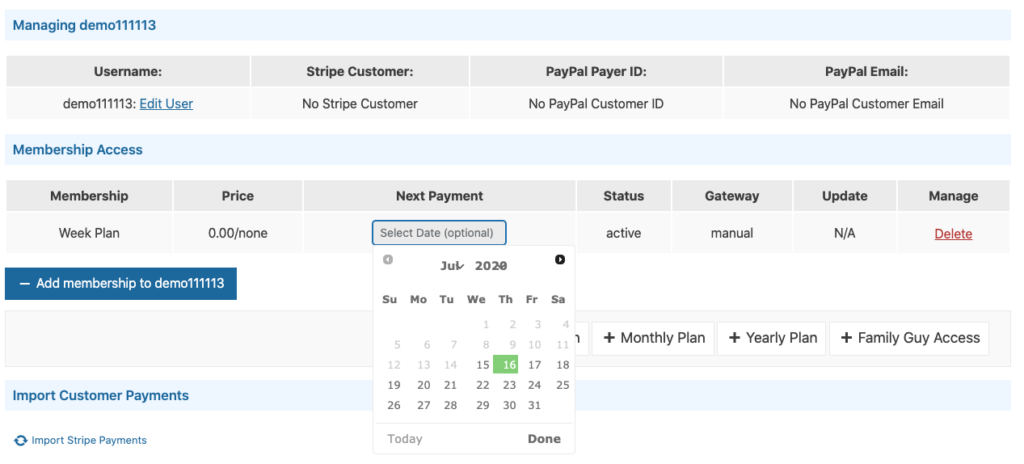
If you need to manually assign Memberships to one of your members, you can add
them to their account on the Edit Member page in the WordPress Dashboard.
- Go to WP Videos -> Members.
- Search for the Member by Name, Email or User ID. The user should have already been added to your website under the Users tab in the left side menu.
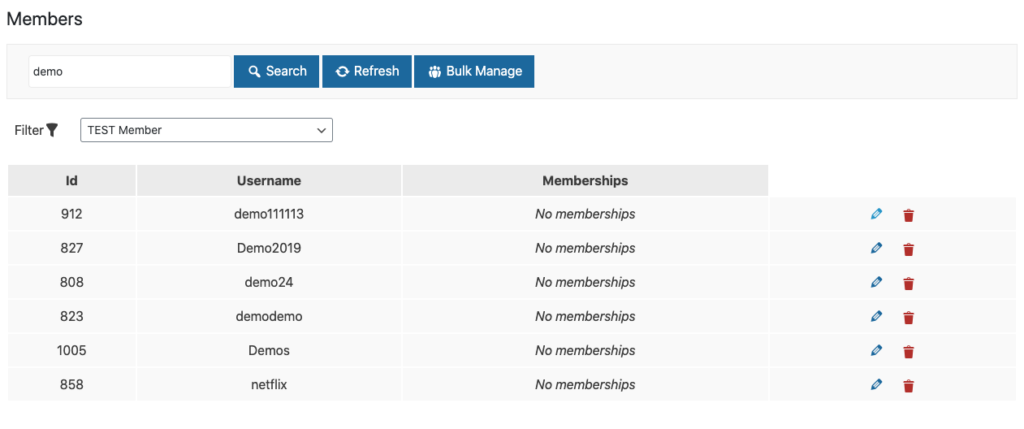
- Press on the blue pencil icon to the right of the Member you want to add
a Membership to. This will take you to the Edit Member screen for that Member. - Press the blue Add Membership to (name) button. This will display all your
Memberships that have been created. Press on the one you wish to add. - Once the Membership has been added, you can optionally set an expiration
date under the Next Payment column. Note:
Manually assigned members do not have any payment associated with them and will be free.